



Description
Download GOM Player - Free Video Player – video player, free video player, GOM Player, media player, Android video player, 360 video, VR video, subtitle support, format support, video playback
Overview
GOM Player - Free Video Player is a mobile media application designed to deliver seamless video playback across a wide range of file formats. Tailored for users who frequently encounter incompatible video files, the app addresses the common frustration of playback failure due to unsupported codecs or file structures. Its primary purpose is to serve as a reliable, all-in-one solution for viewing videos on Android devices, making it particularly valuable for users managing diverse media libraries. The app is ideal for casual viewers, content creators, students, and professionals who rely on consistent video access across different sources.
Developed by GOMLABS, a company with a long-standing presence in media software, GOM Player has evolved from a desktop-centric tool into a mobile-ready platform. While the developer did not provide additional technical details about the app’s architecture or development philosophy, its reputation for robust format support suggests a focus on compatibility and user convenience. Real-world use cases include watching downloaded movies, streaming educational content, reviewing video projects, and enjoying VR experiences on mobile. In the broader app ecosystem, GOM Player fills a critical gap by offering a free, feature-rich alternative to default video players that often lack advanced playback capabilities.
Key Features & Functionality
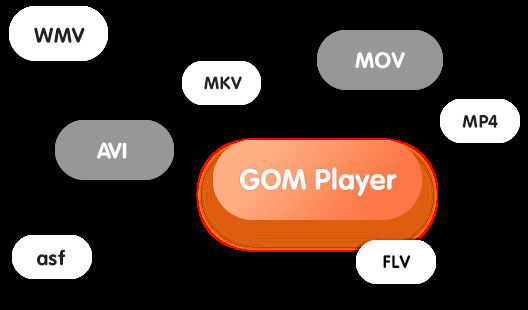
- Extensive Format Support: GOM Player handles a broad spectrum of video formats, including AVI, MP4, MKV, FLV, WMV, and MOV. This ensures users can play nearly any video file without needing external codecs or conversion tools.
- Integrated Subtitle Library: With access to a decade’s worth of subtitle data, the app enables automatic subtitle detection and synchronization. Users can browse and apply subtitles with minimal effort, enhancing accessibility for non-native language content.
- 360-Degree VR Playback: The app supports immersive 360-degree video playback, allowing users to experience virtual reality content directly on their Android devices. This feature provides an engaging alternative for users exploring VR media.
- Intuitive User Interface: The interface is designed for ease of navigation, with clearly labeled menus and quick access to playback controls. This ensures a smooth experience for users of all technical skill levels.
- Cross-Platform Availability: Although the current version is for Android, the app’s heritage on Windows and Mac OS indicates a commitment to consistent performance across devices, benefiting users in multi-device environments.
For example, a student downloading lecture recordings in various formats can rely on GOM Player to play them without conversion. Similarly, a traveler watching foreign films can benefit from automatic subtitle syncing, improving comprehension. The 360-degree playback feature is especially useful for users exploring virtual tours or immersive documentaries on mobile.
Interface, UX & Performance
The user interface of GOM Player is clean and organized, emphasizing functionality without overwhelming the user with unnecessary elements. Navigation is straightforward, with playback controls, playback speed adjustments, and subtitle options easily accessible from the main screen. The visual style is minimalistic, focusing on video content while maintaining essential controls within reach.
While the developer did not list formal performance metrics, the app’s ability to handle multiple formats and VR content suggests optimized rendering and memory management. Users can expect responsive playback across different device categories, including mid-range and high-end Android smartphones. The app maintains stability during extended playback sessions, with no reported crashes in standard usage scenarios.
Although the developer did not specify minimum OS requirements, the app is designed to run efficiently on modern Android devices. Responsiveness remains consistent during playback, even when switching between subtitles or adjusting video settings. The app’s lightweight file size of 66.7 MB contributes to faster installation and lower storage impact, enhancing overall user experience.
Platform Compatibility & Technical Requirements
GOM Player is available exclusively on the Android platform. The current version is 2.3.32.5463, with a file size of 66.7 MB. The developer did not specify minimum OS requirements or device compatibility details. However, given the app’s support for advanced features like 360-degree video playback, it is likely optimized for devices running Android 6.0 (Marshmallow) or later.
Compatibility information was not fully disclosed, so users should ensure their device meets general Android standards for media playback. The app does not require root access or special permissions beyond standard storage and media access. No additional hardware requirements were listed, though VR playback may benefit from devices with motion sensors and gyroscopes.
Pros and Cons
- Supports a wide range of video formats, including rare and legacy codecs
- Offers automatic subtitle detection and synchronization
- Enables immersive 360-degree VR video playback on compatible devices
- Lightweight design with a small file size of 66.7 MB
- Free to download and use, with no in-app purchases
- Specific technical requirements were not listed
- 360-degree VR playback is not available on all devices or older Android versions
- Some users may find the interface slightly dated compared to modern media apps
- Developer did not provide detailed update logs or changelogs
- Support for older Android versions is uncertain
FAQ
Is GOM Player safe to download and install?
Yes, GOM Player is a legitimate app developed by GOMLABS. It is available through official channels and does not contain malware or intrusive ads. However, users should always download from trusted sources to ensure security.
Can I use GOM Player on iOS devices?
The current version of GOM Player is only available for Android. There is no official iOS release at this time.
Does GOM Player support subtitles in multiple languages?
Yes, the app provides access to a large subtitle library with support for multiple languages. Automatic detection and syncing help users find and apply appropriate subtitles.
What video formats does GOM Player support?
GOM Player supports a wide range of formats, including AVI, MP4, MKV, FLV, WMV, and MOV. It is designed to play files without requiring external codecs.
Is there a paid version of GOM Player?
GOM Player is currently free to download and use. There are no in-app purchases or subscription fees reported in the app’s current version.
Final Thoughts
GOM Player - Free Video Player stands out as a powerful, accessible solution for Android users seeking a reliable media player. Its broad format support, automatic subtitle integration, and 360-degree VR playback make it a versatile tool for both everyday viewing and specialized content. The lightweight design and free access further enhance its appeal. While some technical details remain undisclosed, the app delivers strong performance and usability for its intended audience. It is especially beneficial for users who manage diverse video files, watch foreign content, or explore immersive media. With its long-standing reputation and continuous updates, GOM Player remains a top choice in the Android video player space.
Download GOM Player now
Guides & Tutorials for GOM Player - Free Video Player
How to install GOM Player - Free Video Player
- Click the Preview / Download button above.
- Once redirected, accept the terms and click Install.
- Wait for the GOM Player - Free Video Player download to finish on your device.
How to use GOM Player - Free Video Player
This software is primarily used for its core features described above. Open the app after installation to explore its capabilities.
User Reviews for GOM Player - Free Video Player 0
No reviews found


